This afternoon I am presenting
a webinar on eportfolios hosted by Enabling e-learning. These are my thoughts around this topic.
WHY: It is important to decide the purpose for which you are keeping an eportfolio. There are three main types of portfolios: - showcase portfolios, process portfolios and accountability portfolios. An educator may construct an eportfolio for any one of those reasons, and in fact, it could be all three.

An educator may be keeping a record of their best work for a CV with the purpose in mind of applying for a new job. This is called a showcase portfolio.
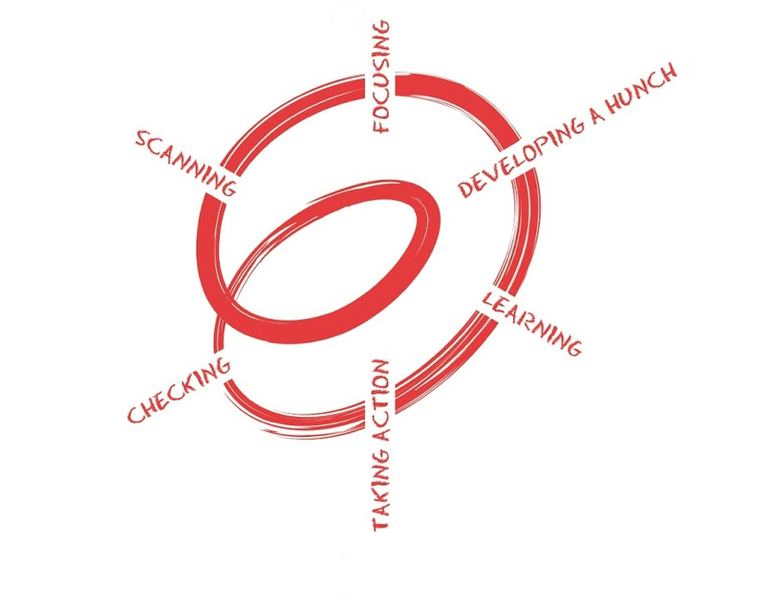
Alternatively, they may be keeping a record of their inquiry which is a learning journey or process eportfolio.
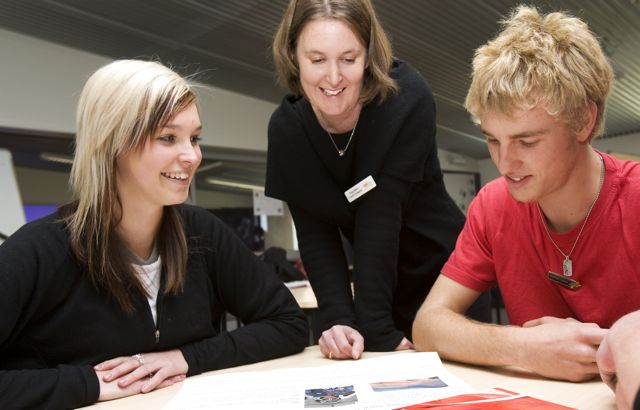
Or they may be wanting to keep and present evidence for the purposes of accountability , either for the practising teacher criteria or appraisal, which may include goal setting.
An electronic portfolio is best constructed keeping in mind the concepts of "COLLECT, SELECT, REFLECT, and PROJECT" (Burke, Fogarty and Belgrade, 1994). The process is well explained by Nick Rate in his slide show -
eportfolios - the story so far. Whatever the reason for your eportfolio, make it part of your regular practice - embed it into your every day teaching life.
Why have a cloud based digital portfolio? Because the dog cannot eat it, it cannot be burnt in a fire or lost by the boss. It can be constructed from multimedia artefacts like video, sound and images gathered essily by cameras, ipads, microphones and smart phones. It can be shared easily with the right people.
Putting an eportfolio together has a very positive outcome, because when we reflect, we learn. John Dewey is famously quoted for his words - "we do not learn from experience, we learn from relecting on experience". Robert Manzano calles reflection the final step in a comprehensive approach to actively processing information. It allows you to order and check the validity of your thoughts. It is essential for teaching as inquiry, to allow you to decide your next steps and goals. Morevoer, when you share your reflections, it allows others to critique, provide feedback and feedforward. Reflection is the sign of a lifelong learner.
HOW: Some options for putting together your eportfolio are as follows.
- Myportfolio is the Ministry of Education funded software for building an eportfolio for students and teachers. It has a lot of functionality because it is Mahara software specifically designed for eportfolios. It is easy to journal, write a CV, add a variety of content and then select from the content what you wish to project to others. You can sign on easily as long as your school is registered for its use. Some teachers have found this platform clunky. Personally I love it, but in saying that, I think you need a certain amount of confidence and/ or competence in using the software, so it is not the easiest platform for beginners. However, it is constantly being improved and made more user-friendly and there is a lot of help available.
- Websites - the most commonly used around New Zealand are Google Sites but Weebley Sites are also reasonably popular. They are a more generic kind of platform as they can be used for a variety of purposes but they are also suited well to eportfolios. I have made a google site template for the gathering of evidence for the practising teacher criteria and also a couple of videos to help you on your way. Video 1 and video 2. You can set up a page to write a journal when you create a new page by selecting "Announcements" as the type of page. This will allow people to comment.
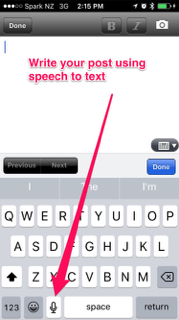
- Blogging - blogging is becoming more and more popular because it is easy to collect artefacts as part of your daily practice. Your entries are all dated, and you can label each post as you go, or even later. It then makes it really easy to select or search for all of the evidence of good practice that you have collected around each of the practising teacher criteria or Tataiako or Pasifika Education Plan actions, or indeed the indicators of Success for All. What is more, certainly if you use Blogger, you can use your phone at the end of each day or lesson to voice record direct into your blog using the Blogger app and the speech to text function, along with a few photographs and videos. Blogging makes it really easy to embed the collection of artefacts into your daily practice.

WHAT: This depends on your purpose, but it is important that you have looked at what you and your school have decided are examples of good practice. Sometimes it is examples of effective pedagogy from the New Zealand Curriculum pages 34-36. When collecting for the Practising Teacher Criteria for re-registration, I would present sufficient evidence of your good practice using the
practising teacher criteria or
Tataiako or
Pasifika Education Plan actions, and the indicators of
Success for All.
Finally, my tips, barriers and considerations
Tips
|
Barriers
|
Considerations
|
Collect (especially) photographic evidence of good teaching practice as part of your everyday practice
Reflect often
Using a blog easiest
Tag/label your blog
Video yourself in class and self evaluate with a peer
Present digital evidence to your appraiser for regular feedback
|
Lack of evidence
Forgetting to take photos, collect media
Not realising that your evidence can apply to several PTCs, or Tataiako, Pasifika Education Plan or Success for All indicators
Lack of regular reflection
Making it into a huge task instead of embedding it in your practice
|
Try story hui as a way of recording your inquiry
Everything can be recorded digitally
Write up your inquiry only and then tag it with each of the PTCs and Tataiako - what is missing?
Inquiry is spiral not circle
|